Alverin — User Manual
Everything you need to know about installing, using, and getting the most out of Alverin. Last updated: October 2026.
1. What Alverin Does
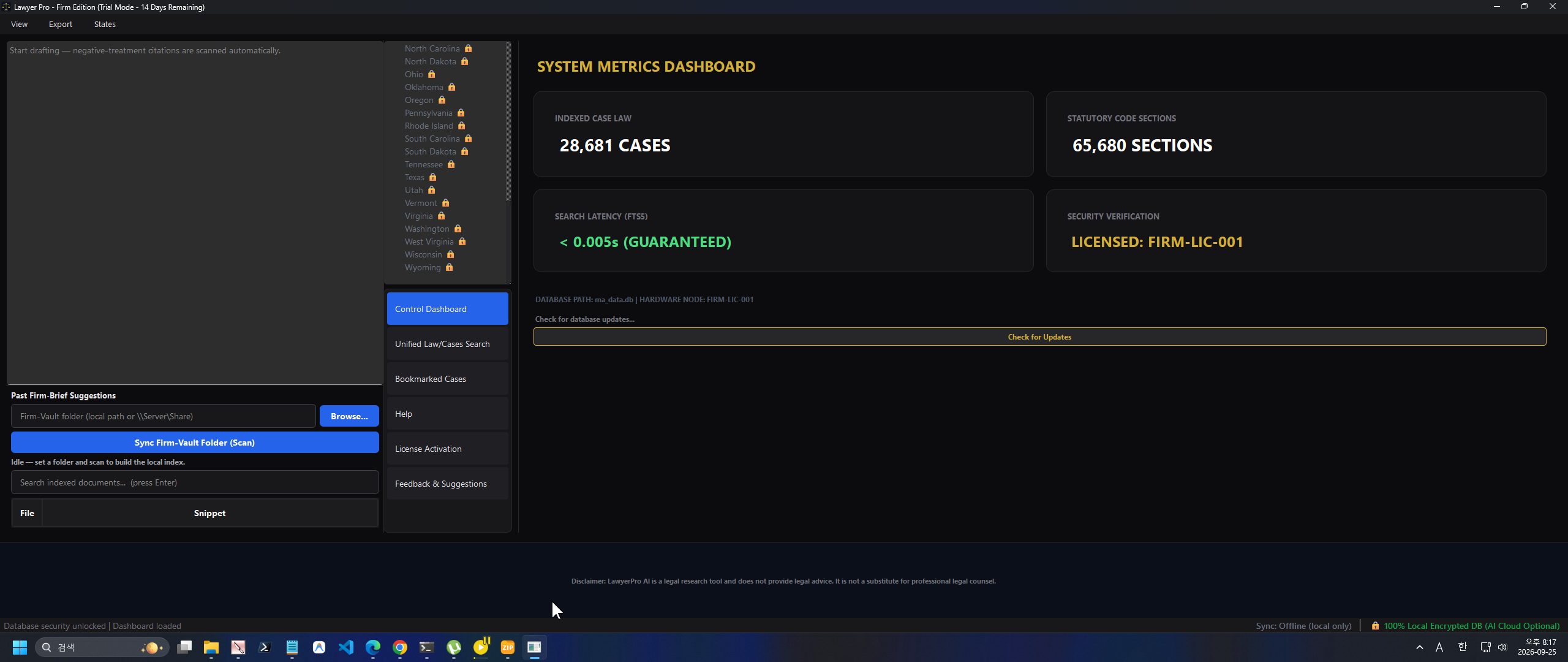
Alverin is a professional legal research suite that runs offline and locally on your own computer. Off-grid document processing: Client confidences and extracted data are processed exclusively on your local machine and are never uploaded. (Requires minimal external connection solely for license activation and system updates). Every index and database is stored on your machine, so research remains fast and available even when you are offline, on a plane, or in a courtroom with no signal.
Privacy is built into the core of the product. Off-grid document processing: Client confidences and extracted data are processed exclusively on your local machine and are never uploaded. (Requires minimal external connection solely for license activation and system updates). All data stays encrypted and local to you.
2. Which Plan Do I Need?
The table below compares every edition of Alverin so you can choose the plan that matches your practice.
| Feature | Student | State | Regional | National |
|---|---|---|---|---|
| Seats / Devices | 1 Seat / 1 Device | 1 Seat / 2 Devices | 1 Seat / 3 Devices | 1 Seat / 3 Devices |
| Federal (U.S. Code + federal case law) | ✓ | ✓ | ✓ | ✓ |
| State Databases | Federal only | 1 State | 4 State Databases | All 51 Jurisdictions |
| Automatic Update Checks | Monthly | Monthly | Weekly | Daily |
| Brief Counter-Attacker | ✗ | No monthly cap | No monthly cap | No monthly cap |
| Inverted Judge | ✗ | ✗ | No monthly cap | No monthly cap |
| Cross-State Parallel Search | ✗ | ✗ | 4 States (parallel) | 51 Jurisdictions (global parallel) |
| National Vault | ✗ | ✗ | ✗ | No monthly cap |
| Matter Workspace: Local case classification (Supporting/Opposing) | ✗ | ✓ | ✓ | ✓ |
| Citation Checker: Cited-by + negative-treatment signals + treatment depth (verify required) | ✗ | ✓ | ✓ | ✓ |
| Export 2-column Counter-Argument Matrix to Word | ✗ | ✓ | ✓ | ✓ |
| Price | $99 / year | $199 / month | $399 / month | Custom — from $10,000 / year |
Every tier includes federal law (the complete U.S. Code and federal case law). State databases: Student is federal only, State includes 1 state, Regional includes 4 states, and National includes all 51 jurisdictions (50 states plus D.C.).
3. How to Install & Bypass SmartScreen
Installation takes only a moment. Follow the two steps below to download and run Alverin on Windows safely.
1 Download & Unzip the Bundle
Download the .zip bundle for your edition from this site and extract it to a folder. The bundle contains the application (.exe) together with its config.json; keep these files together. If your browser warns that the file isn't commonly downloaded, click the options menu next to the file and select "Keep".
2 Run the Application
Run the .exe from inside the extracted folder so that config.json is found next to it (running the .exe on its own may fail to start). Because Alverin is an optimized, standalone desktop app that uses encrypted local databases and does not use corporate code-signing certificates, Windows SmartScreen may show a routine "Windows protected your PC" warning. Click "More info", then "Run anyway". The application is safe to run.
4. How to Activate (7-Day Trial)
There are no license keys to type. Activation is automatic and tied to your device through a Hardware ID (HWID), so there is nothing to copy, paste, or lose.
On first launch, the app asks you to select your state. It then downloads that state's encrypted database locally, and your 7-day full-feature trial starts automatically. After you purchase, simply restart the app and your premium features activate automatically with no further steps.
5. S.D.N.Y. 12(b)(6) Kill-Chain Operation
The Kill-Chain is Alverin's flagship State / Regional / National tool (Student builds do not include it). It turns a plaintiff's complaint into a Proposed Memorandum of Law for your review through three deterministic local passes — no network call is made at any point.
1 Open the Kill-Chain Window
From the main window, use the gold toolbar button Launch S.D.N.Y. 12(b)(6) Kill-Chain or the menu Build → Launch S.D.N.Y. 12(b)(6) Kill-Chain. A window titled ShatterMatrix — 12(b)(6) Kill-Chain opens.
2 Set the Battlefield
In the top row, set the Judge (e.g. Briccetti), the Opposing Counsel (e.g. Jackson Lewis), and the Claim type (fraud, breach_of_contract, negligence, employment_discrimination). Then paste the plaintiff's complaint text into the large input box below.
3 Generate & Export
Click Generate 12(b)(6) Motion to Dismiss. The engine runs CS → CC → TE off the UI thread (the button shows Detonating CS → CC → TE ...). The finished Memorandum appears in the read-only pane; click Export to Word (.docx) to save it.
The output is a 5-section Proposed Memorandum of Law — not an IRAC brief. It is assembled deterministically, and every citation is one measured to exist in the local corpus:
| Section | What It Argues |
|---|---|
| I. Legal Standard | The Twombly/Iqbal plausibility standard, mined from the local corpus. |
| II. The Collapse Matrix | CS isolates the single fatal element (missing, or conclusory with no concrete specifics) with a mathematical shatter_score (0–1). |
| III. The Autophagic Transfer | CC detects the plaintiff's own self-consuming admissions — limitations dates, release/consent/settlement, or a prior breach. |
| IV. The Cognitive Context | TE distills the assigned judge's signature citations and stock phrases, plus the opposing counsel's loss history as a counter-punch. |
| V. Prayer for Relief | The request that the Court dismiss the Complaint in its entirety with prejudice. |
CS = Matrix Collapse · CC = Autophagic Transfer · TE = Cognitive Adaptation. The assembled order is a drafting aid — read and verify every citation before filing (it is not Shepard's or KeyCite).
6. Firm DNA Self-Evolution (Firm Tier Only)
On the National (Firm) tier, Alverin can learn your firm's house style and keep learning as you win. Off-grid document processing: Client confidences and extracted data are processed exclusively on your local machine and are never uploaded. (Requires minimal external connection solely for license activation and system updates).
1 Distill the Initial DNA
On first use the Kill-Chain window may report "No firm DNA found…" — this is normal. Click Distill Firm DNA from 3–5 Briefs… and select 3–5 of your past winning briefs (.txt or .docx). Alverin crops your Caption and Signature into slots and picks the single most complete Twombly/Iqbal "standard" paragraph as your Fixed Rule Block, saved to firm_dna.json.
2 Auto-Fill a New Complaint
With DNA saved, click Firm DNA Self-Evolution — Distill & Auto-Fill to render a new complaint onto your firm's skeleton as the full 5-section Memorandum, populating {CAPTION}, {FIXED_RULE_BLOCK}, the CS/CC slots, the TE {COGNITIVE_CONTEXT} slot, and {SIGNATURE}.
3 Evolve with Each Win
When you win a new motion, click Evolve Firm DNA — Add 1 Winning Brief…. The brief is appended to a persistent pool (brief_pool in firm_dna.json) and the DNA is re-distilled, re-weighting the Fixed Rule Block by Jaccard support as wins accumulate.
Local-Only & Per-Machine
Off-grid document processing: Client confidences and extracted data are processed exclusively on your local machine and are never uploaded. (Requires minimal external connection solely for license activation and system updates). firm_dna.json lives on your machine and is never shipped with the product, so you distill it once after install. Verify every assembled citation before filing.
7. Legal Notice
Important Notice
Disclaimer: This software produces drafting aids and data extractions, not legal advice. The attorney assumes full responsibility for reviewing, verifying, and confirming the accuracy and legal validity of all output before filing.
Important — Read Before Use
Alverin is a legal research tool and its output is provided for reference only. It does not constitute legal advice or professional counsel. The user is solely responsible for all legal research, case interpretations, and filings.